Three Apps for Community Living
A web panel for the committee, an app for residents and an app for the security gate - all working from the same records, and all free.
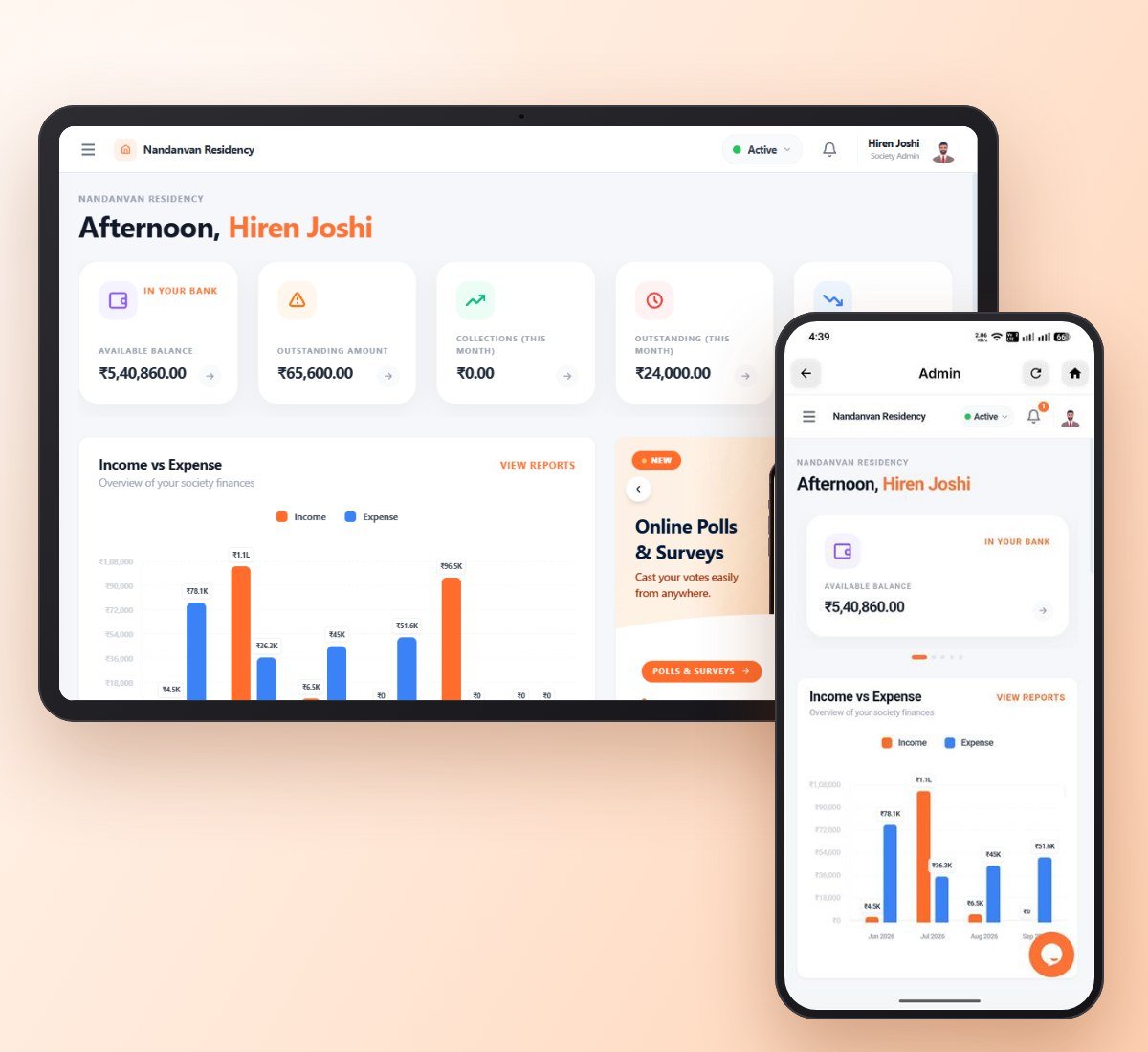
Admin Panel For The Society Committee
The admin panel runs in any browser. Set up wings and flats, add owners and tenants, send monthly maintenance bills, record payments, income and expenses, and open finance reports.
Admins get an Admin button in the resident app's Quick Actions - manage the society from your phone.
In Chrome or Edge, choose Install - it gets its own icon and window. No app store needed.
Application For The Residents
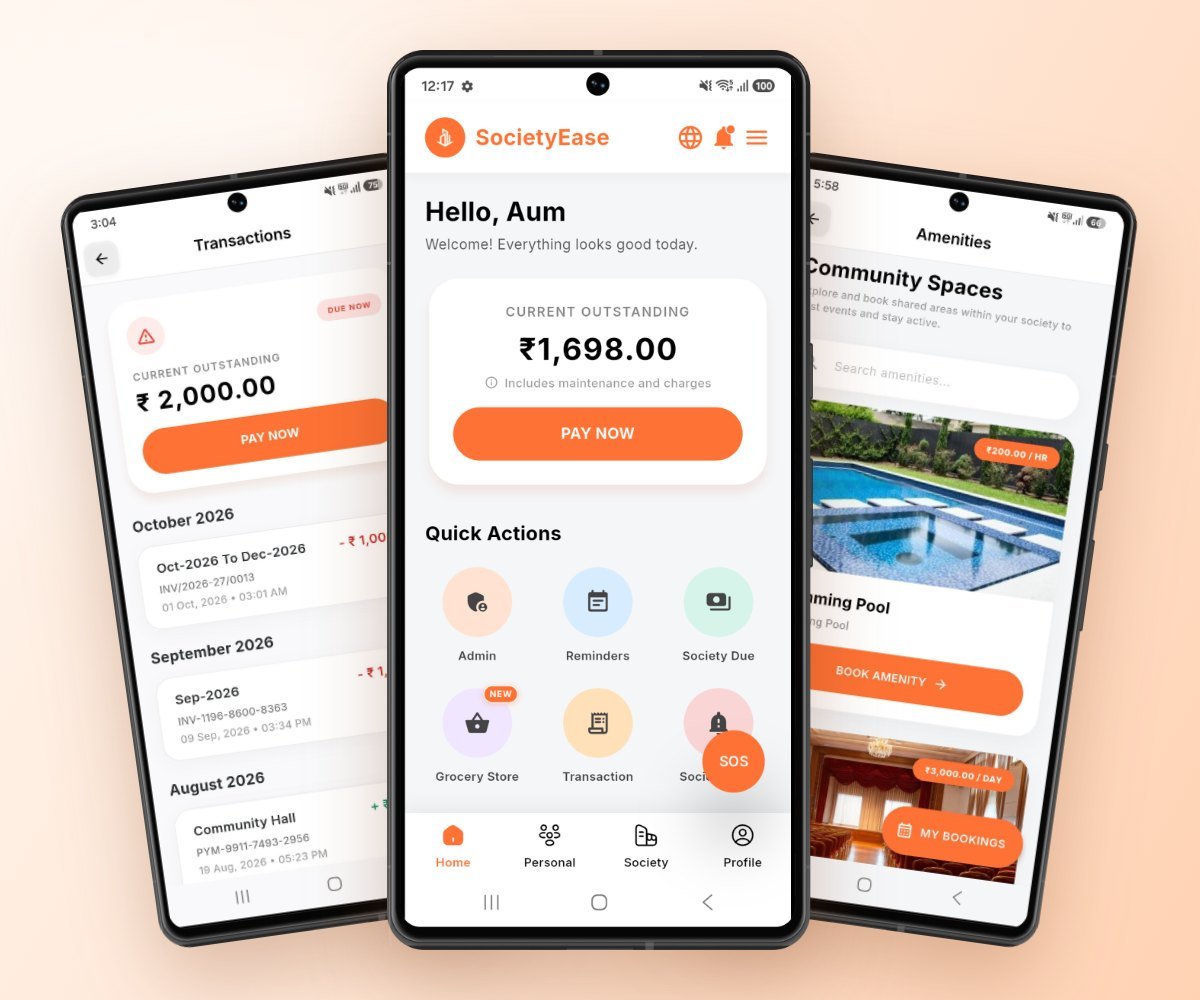
Residents see and pay their maintenance bills, download receipts, approve visitors, book amenities, raise complaints with photos, and get every notice on their phone - on Android or iPhone.
- check_circleVisitor History, Vehicle & Staff Check-In Logs
- check_circleAmenities Booking & Maintenance Dues Payment
- check_circleSociety Notices, Complaints & SOS Alerts
- check_circleFamily Member Management & Meeting Schedules
Application For The Security Personnel
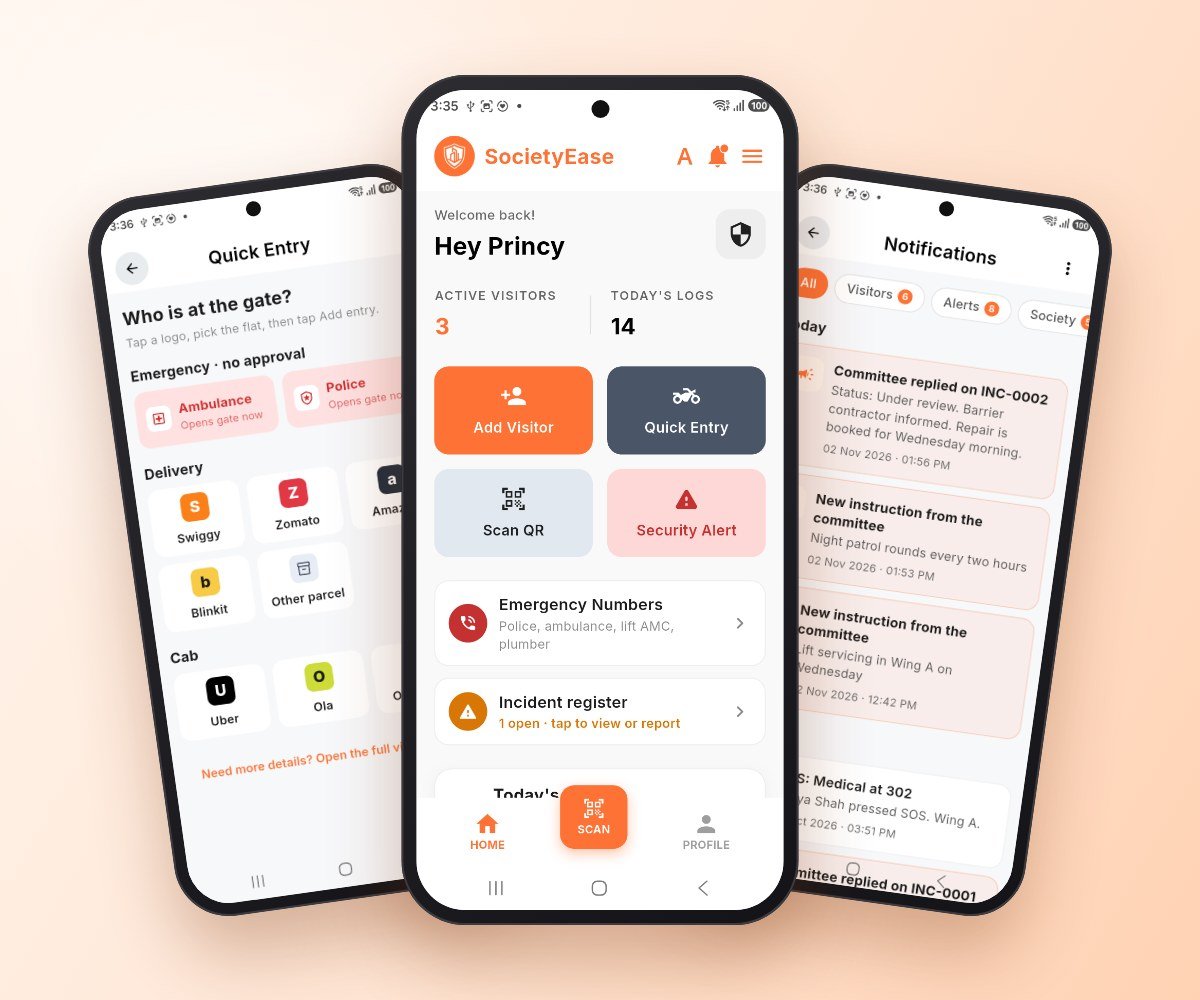
The guard logs visitors in seconds - one tap for a Swiggy, Zomato or Uber at the gate - scans QR gate passes, records incidents with photos, sees the committee's instructions, and rings the moment a resident presses SOS.
- local_shippingQuick Entry for Deliveries & Cabs
- reportIncident Register with Photos
- notifications_activeSOS & Committee Instructions
Inside the Resident App
What every resident gets on their phone - free for every society.
Meetings & Notice Board
Every notice, announcement and AGM / EGM date from the committee, on your phone the moment it is posted.
Reminders
Reminders before a bill is due and on the due date, so nobody pays late by mistake.
Society Due
See what your flat owes, pay online by UPI or card, and download the receipt.
Service Partners
Your maid, cook, driver or plumber - see when they come in and leave at the gate.
Society Alert & SOS
Press SOS in an emergency and your family members, the guards and the committee are alerted at once.
Visitors Management
Approve visitors from your phone, send QR gate passes to guests, and see who came and when.
Amenities Booking
Book the clubhouse, hall or sports court in a few taps, without calling the office.
Complaints
Raise a complaint with a photo and follow it until the committee resolves it.
Committee Members
See who is on the society and wing committee, and their roles.
Society Family
The society feed - news and posts from your neighbours in one place.
Frequently Asked Questions
Straight answers about the features.
A resident can create a gate pass with a QR code for an expected guest. For anyone else, the guard logs the visitor in the security app and the resident approves or declines on their phone. Every entry is kept in the visitor history.
Yes. Residents pay their bills in the app by UPI, cards or net banking through Razorpay, and a receipt is created automatically. The committee can also record cash and cheque payments.
Residents raise a complaint in the app and can attach photos. The committee sees it in the admin panel, updates its status and adds a remark, and the resident follows each step in the app.
When a resident presses SOS, their family members, the society's security guards and the committee are alerted at once. The resident can also call their own emergency contacts from the same screen.
No. All three apps and every feature listed here are included for every society, with no setup fee and no subscription.